
FREE International Shipping & Return

30 DAYS Time to Change your Mind

SUPPORT 24/7, Even During Holidays

Projector Whiteboard Wallpaper – White

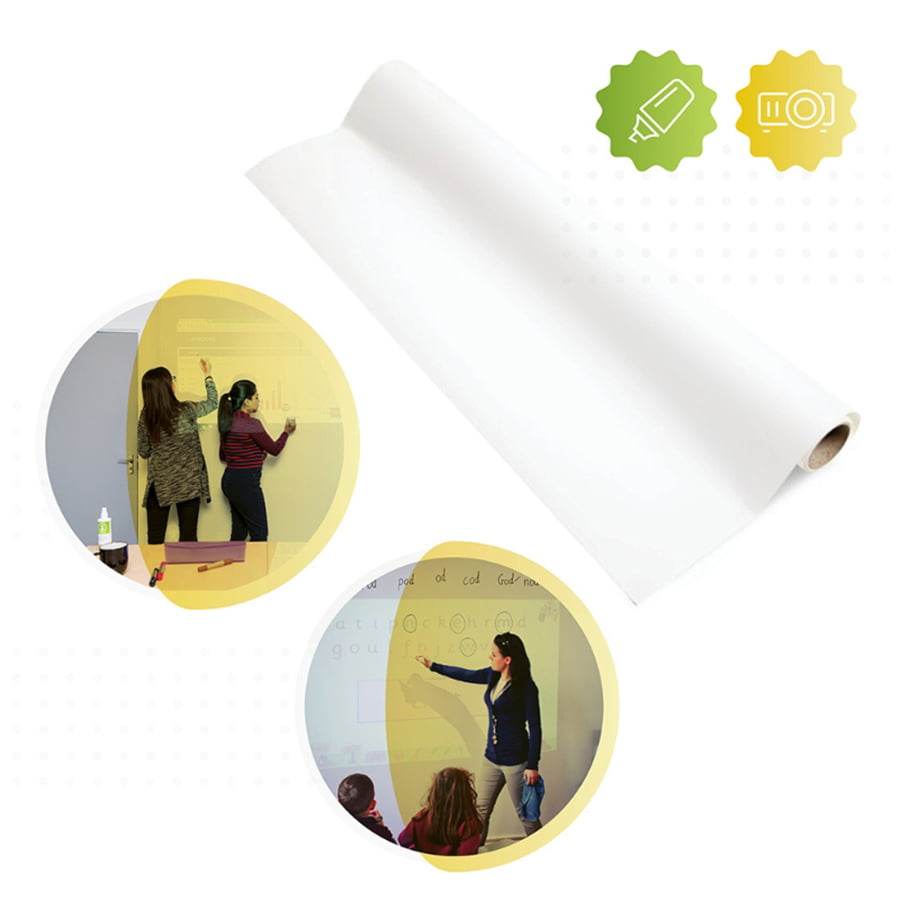
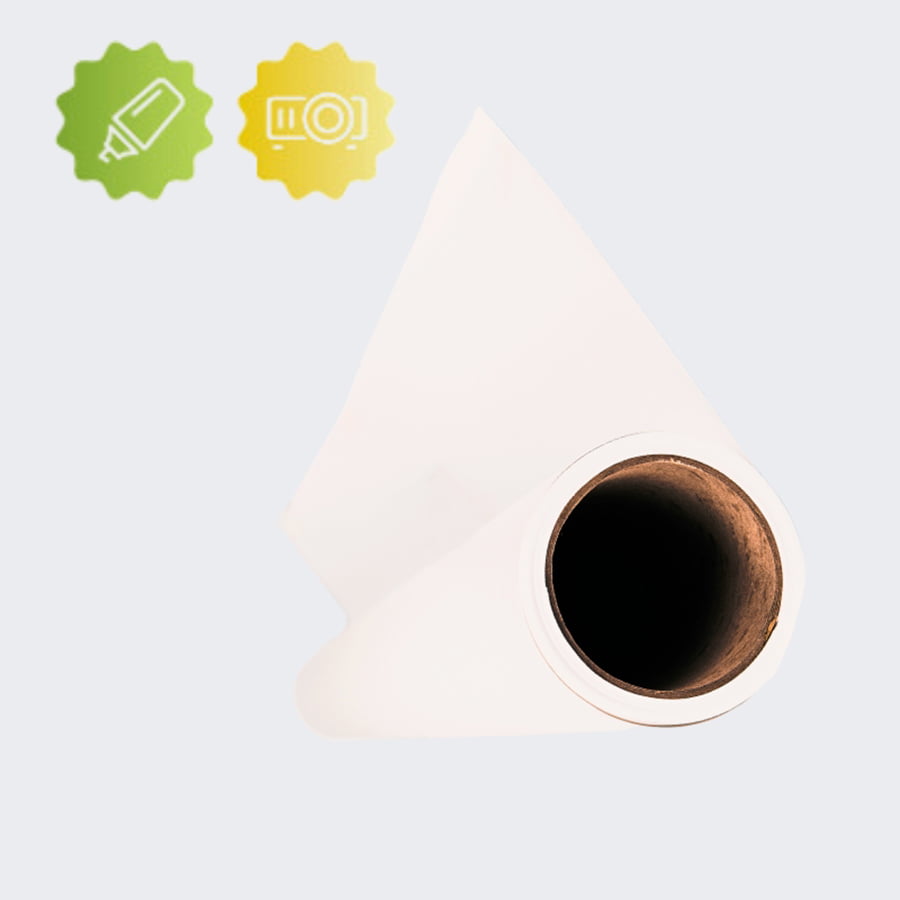
Smarter Surfaces Projector Whiteboard Wallpaper combines high-performance dry‑erase and projection features into one easy-to-install wallpaper.

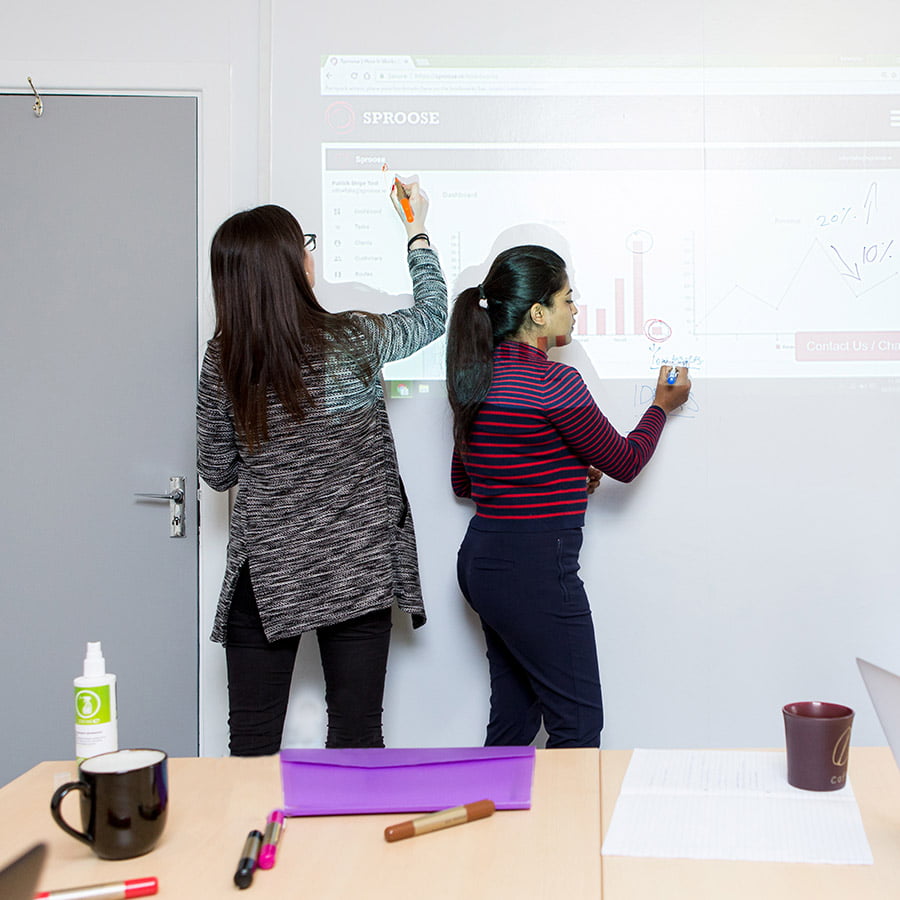
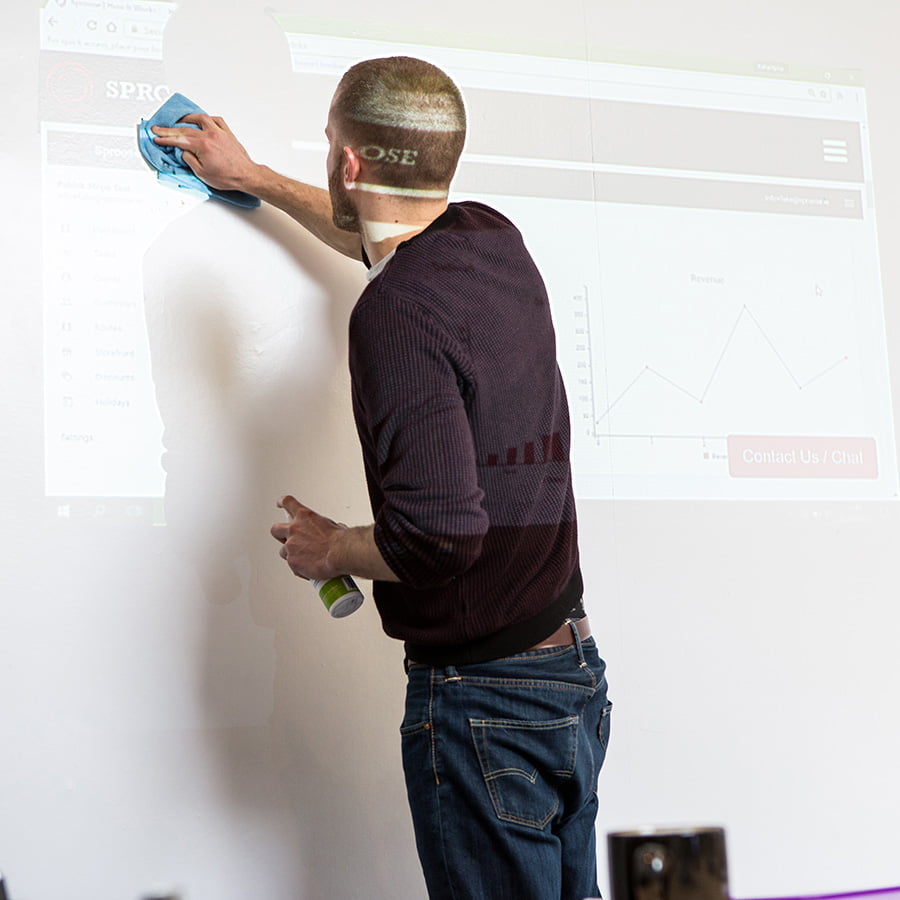
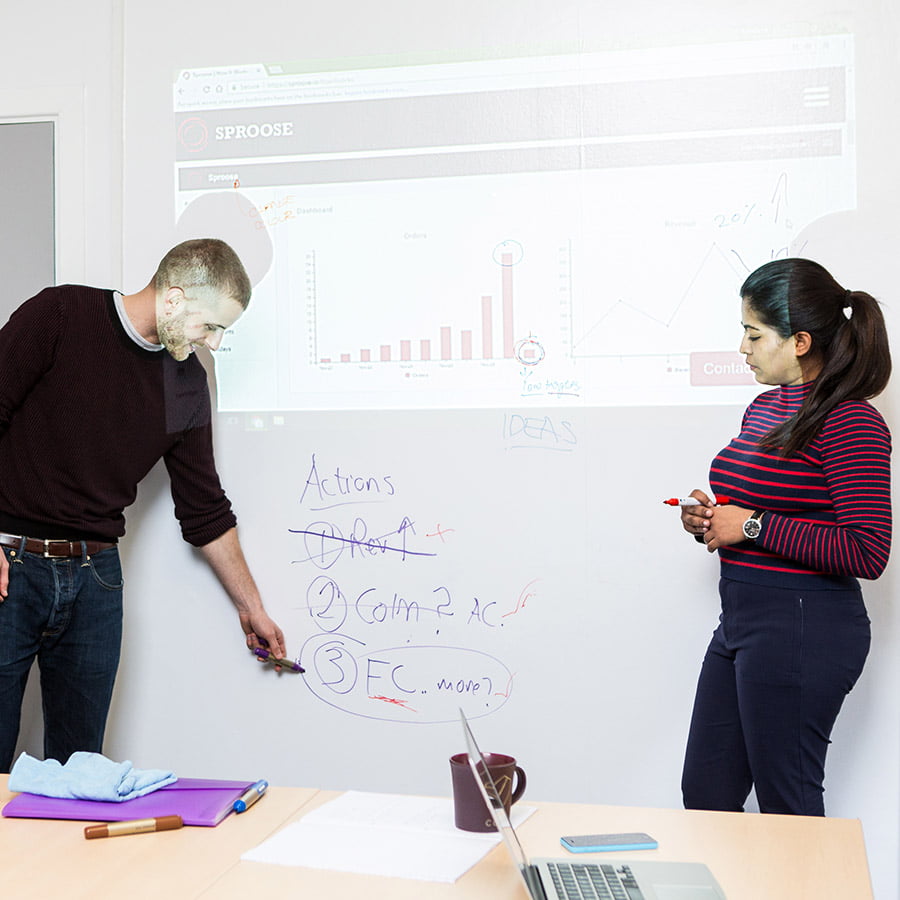
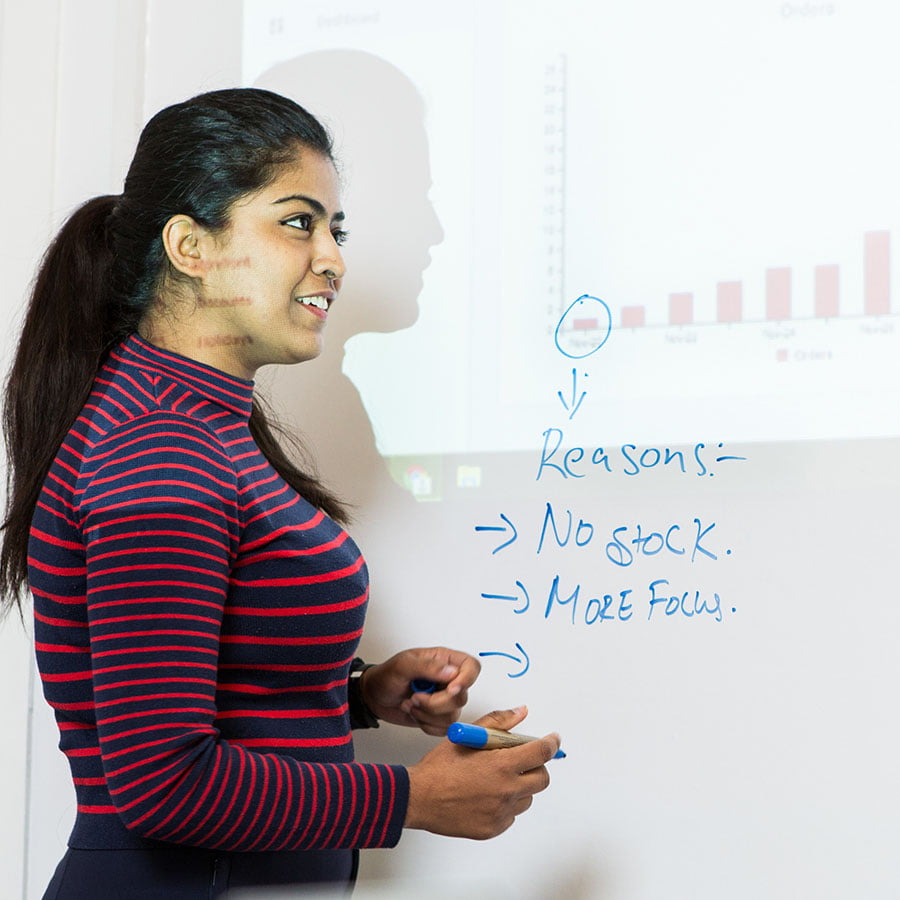
Install it like any wallpaper and enjoy the benefits of a top-performing projector surface. Show presentations, images, and videos while writing directly on the surface.

  • Backed by a 10-year product guarantee
  • High-quality projection surface with a gain value of 1.1
  • Commercial-grade performance – no ghosting, no staining
  • Use with all standard whiteboard markers and accessories
  • Can be installed vertically, horizontally, or on curved surfaces
  • Ready to use within 24 hours of application
  • Eco-friendly formulation – VOC-free, solvent-free, PFOA & PFOS-free, and isocyanate-free
  • Fire-resistant, independently certified for commercial interiors
  • Complies with California Proposition 65 for safety
  • Fire rating: Class A
  • Any Size Any Shape

From $187.00

SKU: SSK-WCPRO-CONF Categories: ,

Key Benefits of Installing Projector Whiteboard Wallpaper

Versatile, Dual-Function Surface

Creates both high-performance dry erase and projection functionality in a single surface. Perfect for offices, classrooms, and meeting rooms.

Universal Projector and Whiteboard Compatibility

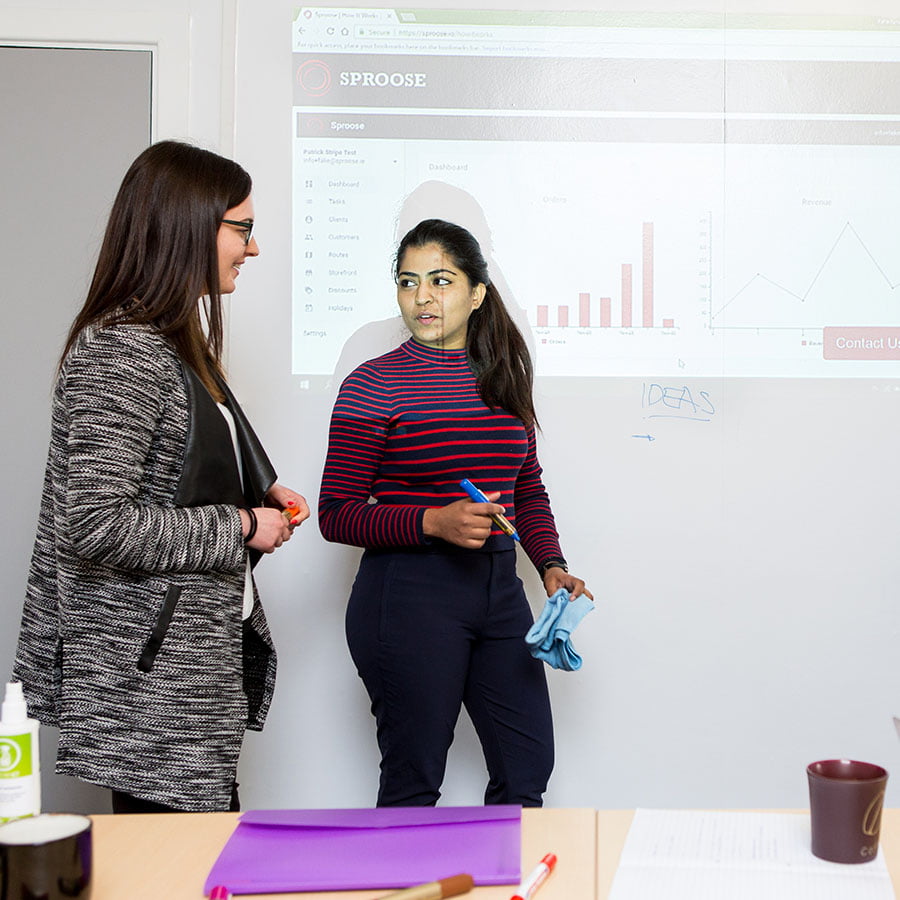
Works seamlessly with all standard, interactive, 3D, and 4K projectors. Ideal for displaying visuals and annotations together, supporting dynamic collaboration.

Boost Creativity and Productivity

Show presentations, images, and videos directly on the surface, and write over them for enhanced collaboration and focus. Helps foster creativity and productivity in schools and offices.

Durable, Stain-Resistant

Low sheen finish reduces glare, ensuring optimal readability. Guaranteed durability for 10 years with stain-resistant, non-ghosting surface.

Eco-Friendly, Low VOC

VOC-free, solvent-free, and isocyanate-free, it can be applied safely in the presence of people.

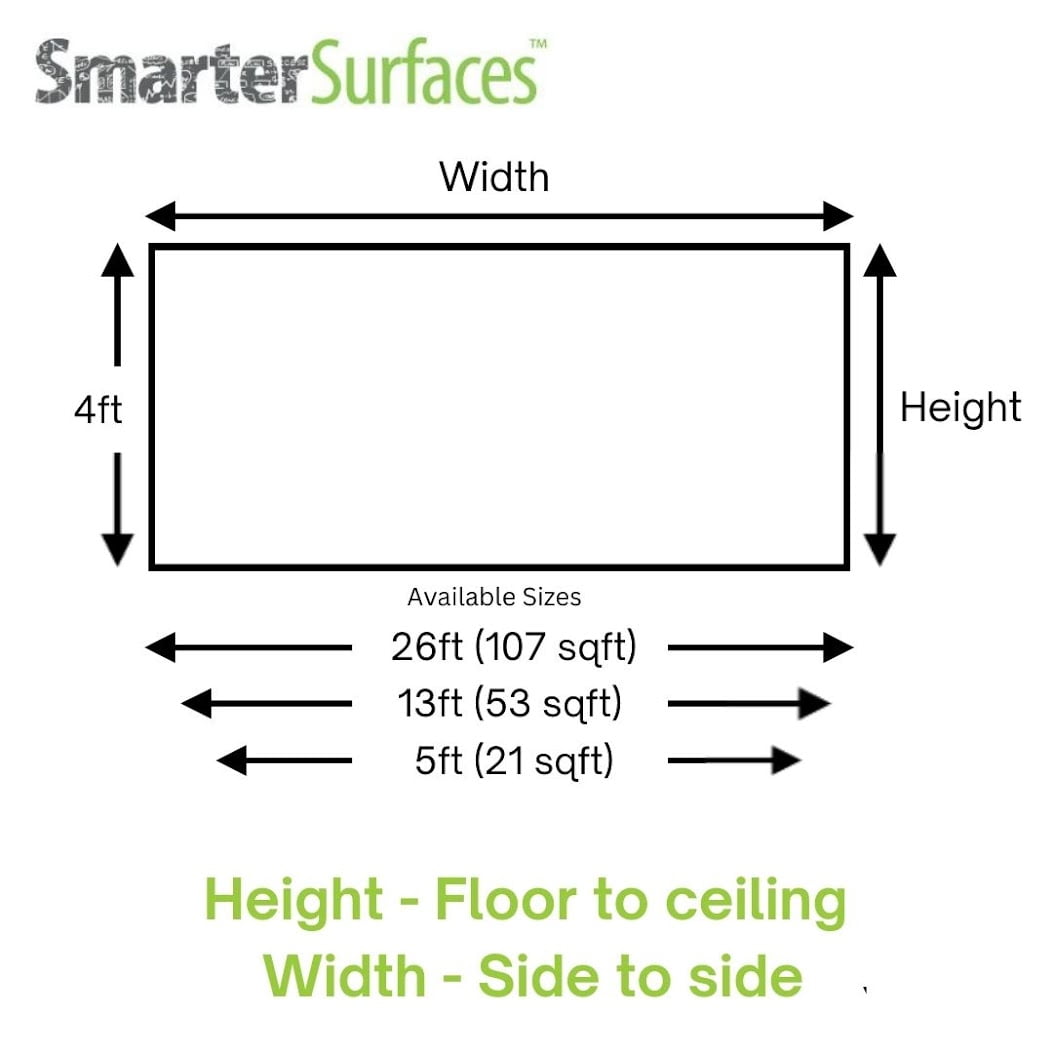
Projector Whiteboard Wallpaper Technical Specificationsdry-erase-wallpaper-dimension-700px

Coverage / Dimensions:

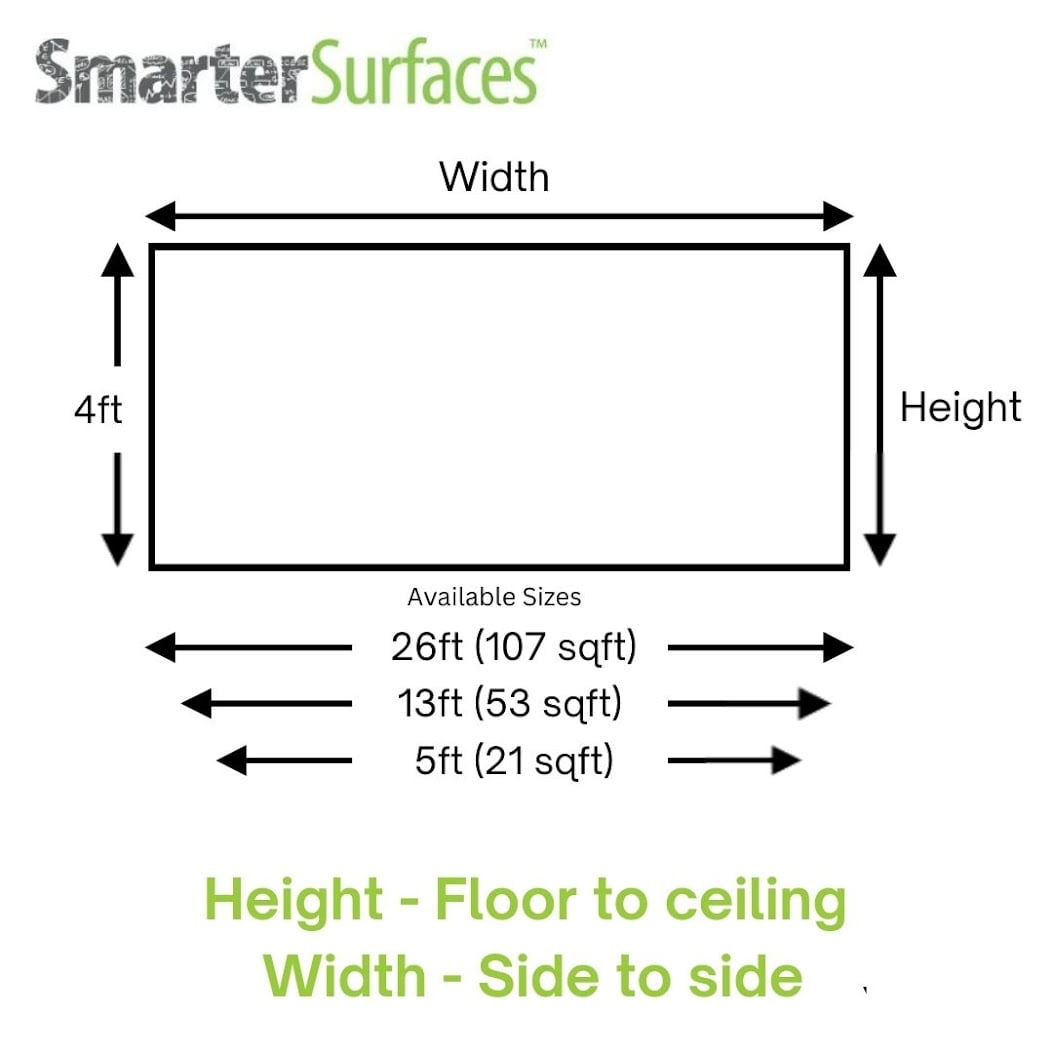
  • 107 sqft / 4 ft x 26 ft 6″
  • 53 sqft / 4 ft x 13 ft 3”
  • 21 sqft /4 ft x 5 ft 2”

Product Color: White (RAL: 9016)
Product Finish: Low Sheen
Gloss Measurement: 41 GU at 60 degrees
Gain Value: 1.1 at a viewing angle of 120 degrees
Material Thickness – .12”
Lighting: Normal ambient lighting
Performance: Dry Erase & projection with bright, sharp projection performance
Odor: None
Environmental (exceeds all US standards): VOC free, solvent free, PFOA & PFOS free and isocyanates free
Certification: Independent certification for Fire
Suitable Surfaces: walls, plaster, concrete, wood, metal, doors or any smooth surface

Built using over a decade of expertise in whiteboard and projection manufacturing.
Looking for more? The Three in One Magnetic Projector Screen Whiteboard Wallpaper transforms walls into functional projection surfaces.

Confused about the right choice? Video call support, live chat, phone, and email assistance are available. Benefit from free technical advice, creative ideas, and tailored product recommendations to find the perfect fit. Need installation help? Expert guidance and assistance are always available.

Kit Contents

107 sq ft & 53 sq ft

  • 1 x Projector Whiteboard Wallpaper
  • 1 x Surface Sticker
  • 1 x Application Guide
  • 1 x Wallpaper Spatula
  • 1 x Pair of gloves
  • 1 x Microfibre Eraser

21 sq ft

  • 1 x Projector Whiteboard Wallpaper
  • 1 x Microfibre Eraser Cloth
  • 2 x Adhesive Tubes
  • 1 x Application Guide

Projector Whiteboard Wallpaper Reviews

R Hislop – Staten Island Fitout LLC

Awesome product and company works great with our short throw projector. Did exactly as they said it would.

Thomas Jefferson High – Fairfax County

The wallpaper from Smarter Products has been a highlight of the year for our seniors who were involved in the design of our renovation programme

Lead Architect – SBJ Design Group

Very positive experience overall and certainly specify this product again.

<div style="max-width:1400px; margin:0px auto;"> <div itemscope="" itemtype="https://schema.org/FAQPage"><h2 style="text-align:center;">FAQ's</h2><div itemprop="mainEntity" itemscope="" itemtype="https://schema.org/Question"> <button class="faqs-accordion" itemprop="name"><span class="h3-faq"><h3>Can Projection Whiteboard Wallpaper be applied on any surface?</h3></span></button> <div itemprop="acceptedAnswer" itemscope="" itemtype="https://schema.org/Answer" class="faqspanel"> <div itemprop="text"> <div class="faqsp"> <div class="faqs-content">Projection Whiteboard Wallpaper can be applied to any smooth surface. It can be installed vertically, horizontally, or even on curved walls. </div></div> </div> <meta itemprop="position" content="1"> </div> </div><div itemprop="mainEntity" itemscope="" itemtype="https://schema.org/Question"> <button class="faqs-accordion" itemprop="name"><span class="h3-faq"><h3>Do I need to prime the surface before applying Projection Whiteboard Wallpaper?</h3></span></button> <div itemprop="acceptedAnswer" itemscope="" itemtype="https://schema.org/Answer" class="faqspanel"> <div itemprop="text"> <div class="faqsp"> <div class="faqs-content">Before application, primer should only be applied to absorbent surfaces. </div></div> </div> <meta itemprop="position" content="2"> </div> </div><div itemprop="mainEntity" itemscope="" itemtype="https://schema.org/Question"> <button class="faqs-accordion" itemprop="name"><span class="h3-faq"><h3>Is Projection Whiteboard Wallpaper safe?</h3></span></button> <div itemprop="acceptedAnswer" itemscope="" itemtype="https://schema.org/Answer" class="faqspanel"> <div itemprop="text"> <div class="faqsp"> <div class="faqs-content">Yes Projection whiteboard wallpaper is very safe it is VOC free, solvent free, PFOA & PFOS free and isocyanates free<br /><br /> It also has independent certification for Fire Class A – ASTM E84 and Projection Performance Report – CREST </div></div> </div> <meta itemprop="position" content="3"> </div> </div><div itemprop="mainEntity" itemscope="" itemtype="https://schema.org/Question"> <button class="faqs-accordion" itemprop="name"><span class="h3-faq"><h3>What’s the best way to clean the projectable whiteboard surface?</h3></span></button> <div itemprop="acceptedAnswer" itemscope="" itemtype="https://schema.org/Answer" class="faqspanel"> <div itemprop="text"> <div class="faqsp"> <div class="faqs-content">You can easily wipe your projectable whiteboard clean by using a dry or slightly damp cloth we recommend microfibre cloths.<br /><br />For a more effective cleaning, consider using any standard <a href="https://smartersurfaces.com/product/dry-erase-cleaner/" title="Whiteboard Cleaning Spray">Whiteboard Cleaning Spray.</a><br /><br />For more stubborn marks, we recommend using Smarter Surfaces <a href="https://smartersurfaces.com/product/permanent-marker-remover/" title="Permanent Ink Remover">Permanent Ink Remover.</a> </div></div> </div> <meta itemprop="position" content="4"> </div> </div><div itemprop="mainEntity" itemscope="" itemtype="https://schema.org/Question"> <button class="faqs-accordion" itemprop="name"><span class="h3-faq"><h3>Is it safe to use alcohol to clean the Projection Whiteboard Wallpaper surface?</h3></span></button> <div itemprop="acceptedAnswer" itemscope="" itemtype="https://schema.org/Answer" class="faqspanel"> <div itemprop="text"> <div class="faqsp"> <div class="faqs-content">Regular use of alcohol on the Projection Whiteboard Wallpaper may compromise the surface's integrity and reduce its performance.<br /><br />We have developed a range of cleaning solutions that deliver optimal cleaning results while preserving the quality of your Surface.<br /><br />You can explore Smarter Surfaces full selection of <a href="https://smartersurfaces.com/product-category/accessories/" title="cleaning products">cleaning products</a> </div></div> </div> <meta itemprop="position" content="5"> </div> </div><div itemprop="mainEntity" itemscope="" itemtype="https://schema.org/Question"> <button class="faqs-accordion" itemprop="name"><span class="h3-faq"><h3>Can I make use of permanent markers?</h3></span></button> <div itemprop="acceptedAnswer" itemscope="" itemtype="https://schema.org/Answer" class="faqspanel"> <div itemprop="text"> <div class="faqsp"> <div class="faqs-content">No, like traditional whiteboards, the Projector Whiteboard Wallpaper is not designed for use with permanent markers.<br /><br />If permanent markers are used, we recommend using Smarter Surfaces Permanent Ink Remover to clean the surface. </div></div> </div> <meta itemprop="position" content="6"> </div> </div><div itemprop="mainEntity" itemscope="" itemtype="https://schema.org/Question"> <button class="faqs-accordion" itemprop="name"><span class="h3-faq"><h3>How do I get rid of a permanent marker?</h3></span></button> <div itemprop="acceptedAnswer" itemscope="" itemtype="https://schema.org/Answer" class="faqspanel"> <div itemprop="text"> <div class="faqsp"> <div class="faqs-content">You may be able to remove a permanent marker by writing over it with a whiteboard marker. It helps to wet the ink, making it easier to wipe away. Wait for two minutes, then clean the surface.<br /><br />If this method does not work, we suggest using Smarter Surfaces <a href="https://smartersurfaces.com/product/permanent-marker-remover/" title="Permanent Ink Remover">Permanent Ink Remover,</a> available in our web store.<br /><br />This specialized cleaner is designed to eliminate permanent marker stains, stubborn marks, and ghosting from Projector Whiteboard Wallpaper surfaces. </div></div> </div> <meta itemprop="position" content="7"> </div> </div><div itemprop="mainEntity" itemscope="" itemtype="https://schema.org/Question"> <button class="faqs-accordion" itemprop="name"><span class="h3-faq"><h3>Can Projection Whiteboard Wallpaper be used to create a whiteboard surface?</h3></span></button> <div itemprop="acceptedAnswer" itemscope="" itemtype="https://schema.org/Answer" class="faqspanel"> <div itemprop="text"> <div class="faqsp"> <div class="faqs-content">Yes, projection whiteboard wallpaper is a dual function wallpaper and is used as a whiteboard surface and a projection surface. </div></div> </div> <meta itemprop="position" content="8"> </div> </div><div itemprop="mainEntity" itemscope="" itemtype="https://schema.org/Question"> <button class="faqs-accordion" itemprop="name"><span class="h3-faq"><h3>Are there different sizes available?</h3></span></button> <div itemprop="acceptedAnswer" itemscope="" itemtype="https://schema.org/Answer" class="faqspanel"> <div itemprop="text"> <div class="faqsp"> <div class="faqs-content">Projector Whiteboard Wallpaper is available in three sizes: 21 sq ft, 52 sq ft, and 105 sq ft. </div></div> </div> <meta itemprop="position" content="9"> </div> </div><div itemprop="mainEntity" itemscope="" itemtype="https://schema.org/Question"> <button class="faqs-accordion" itemprop="name"><span class="h3-faq"><h3>What are the gloss levels/measurements of Dry Erase Projection Wallcovering?</h3></span> </button> <div itemprop="acceptedAnswer" itemscope="" itemtype="https://schema.org/Answer" class="faqspanel"> <div itemprop="text"> <div class="faqsp"> <div class="faqs-content">For Dry Erase Projection Wallcovering has a Gloss Measurement of 41 GU at 60 degrees </div></div> </div> <meta itemprop="position" content="10"> </div> </div><div itemprop="mainEntity" itemscope="" itemtype="https://schema.org/Question"> <button class="faqs-accordion" itemprop="name"><span class="h3-faq"><h3>Which kind of projector is compatible with projector whiteboard wall covering?</h3></span></button> <div itemprop="acceptedAnswer" itemscope="" itemtype="https://schema.org/Answer" class="faqspanel"> <div itemprop="text"> <div class="faqsp"> <div class="faqs-content">Projector whiteboard wall covering is compatible with a variety of projectors, including standard, interactive, 3D, 4K, and short or ultra short throw models. </div></div> </div> <meta itemprop="position" content="11"> </div> </div><div itemprop="mainEntity" itemscope="" itemtype="https://schema.org/Question"> <button class="faqs-accordion" itemprop="name"><span class="h3-faq"><h3>Can you apply projector whiteboard wallpaper on top of magnetic plaster?</h3></span></button> <div itemprop="acceptedAnswer" itemscope="" itemtype="https://schema.org/Answer" class="faqspanel"> <div itemprop="text"> <div class="faqsp"> <div class="faqs-content">Yes, you can apply projector whiteboard wallpaper on top of the magnetic plaster. </div></div> </div> <meta itemprop="position" content="12"> </div> </div><div itemprop="mainEntity" itemscope="" itemtype="https://schema.org/Question"> <button class="faqs-accordion" itemprop="name"><span class="h3-faq"><h3>Will a reflection or hotspot occur?</h3></span></button> <div itemprop="acceptedAnswer" itemscope="" itemtype="https://schema.org/Answer" class="faqspanel"> <div itemprop="text"> <div class="faqsp"> <div class="faqs-content">Smarter Surfaces products offer hotspot-free surfaces. If you notice a hotspot, simply adjust the projector angle to remove it. For high-performance projection, consider Smarter Surfaces <a href="https://smartersurfaces.com/product-category/projection-range/">Projector Paints</a>. </div></div> </div> <meta itemprop="position" content="13"> </div> </div></div> </div><script> var acc = document.getElementsByClassName("faqs-accordion"); var i;for (i = 0; i < acc.length; i++) { acc[i].addEventListener("click", function() { this.classList.toggle("faqsactive"); var faqspanel = this.nextElementSibling; if (faqspanel.style.display === "block") { faqspanel.style.display = "none"; } else { faqspanel.style.display = "block"; } }); } </script>

Projector Whiteboard Wallpaper Installation Guide

How To Apply Projector Whiteboard Wallpaper?

Projector Whiteboard Wallpaper is easy to apply and ready to use after 24 hours. It can be installed horizontally, vertically, or even on curved walls, although it is recommended to install it horizontally at eye level for easier use.

To apply projection whiteboard wallpaper, follow the steps below –

  • Step 1 – Begin by applying two coats of Smarter Surfaces wallpaper adhesive to the wall.
  • Step 2 – Apply the wallpaper just like traditional wallpaper to the second coat of adhesive while the adhesive is wet, using a flat plastic edge to smooth out any air bubbles.
  • Step 3 – Trim the wallpaper to size using a sharp knife.
  • Step 4 – To cover an entire wall, you can easily add multiple rolls by aligning their edges together.

A detailed application guide and video are available to help you with the installation process.

If you’d like to test the performance of the products, you can request a sample pack.

Do you have any queries or need assistance? We take pride in offering outstanding customer service and support. Feel free to contact us.
Application GuideA full application guide to help you apply the Projector Whiteboard Wallpaper.
Watch the Step-by-Step Application Guide Video

Watch Projector Whiteboard Wallpaper in Real Action

Creative Professional Teaching Methodology | Upgrade The Learning Experience | Smarter Surfaces

Additional information

WeightN/A
Smarter Surfaces
Privacy Overview

This website uses cookies so that we can provide you with the best user experience possible. Cookie information is stored in your browser and performs functions such as recognising you when you return to our website and helping our team to understand which sections of the website you find most interesting and useful.