
<div style="max-width:1400px; margin:0px auto;">
<div itemscope="" itemtype="https://schema.org/FAQPage"><h2 style="text-align:center;">FAQ's</h2><div itemprop="mainEntity" itemscope="" itemtype="https://schema.org/Question">
<button class="faqs-accordion" itemprop="name"><span class="h3-faq"><h3>How does a black projector screen paint work? </h3> </span></button>
<div itemprop="acceptedAnswer" itemscope="" itemtype="https://schema.org/Answer" class="faqspanel">
<div itemprop="text">
<div class="faqsp">
<div class="faqs-content">
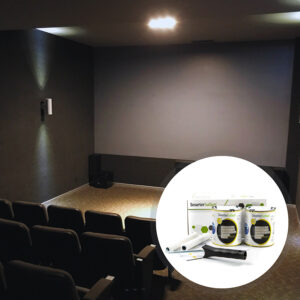
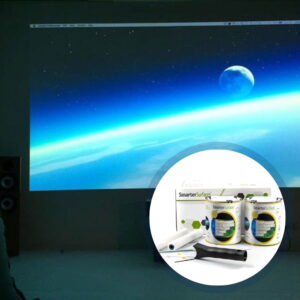
Black Projection Screen Paint works by creating a painted on projection screen with the lowest gain value, meaning it absorbs a lot of light rather than reflecting it. Provided the projector has adequate power of over 2500 lumens or higher and the room has very low ambient light it will enhance the black tones and significantly improve the contrast ratio resulting in a highly vivid image with colors that pop for best results using high definition and HDR content.<br /><br /></div></div>
</div>
<meta itemprop="position" content="1">
</div>
</div><div itemprop="mainEntity" itemscope="" itemtype="https://schema.org/Question">
<button class="faqs-accordion" itemprop="name"><span class="h3-faq"><h3>How to Utilize Black Projector Screen Paint?</h3> </span></button>
<div itemprop="acceptedAnswer" itemscope="" itemtype="https://schema.org/Answer" class="faqspanel">
<div itemprop="text">
<div class="faqsp">
<div class="faqs-content">
After application to your wall using a roller or spray, our Black Projector Screen Paint will be ready for projection once it is completely dry, which takes 24 hours. Just set up your projector as needed and direct it towards the painted wall. Black Projector Screen Paint is compatible with most projectors that have a brightness of over 2500 lumens. It can be applied to plaster, wall boards, wood, metal, or any smooth surface.<br /><br /></div></div>
</div>
<meta itemprop="position" content="1">
</div>
</div><div itemprop="mainEntity" itemscope="" itemtype="https://schema.org/Question">
<button class="faqs-accordion" itemprop="name"><span class="h3-faq"><h3>What is gain essential in projector screens?</h3> </span></button>
<div itemprop="acceptedAnswer" itemscope="" itemtype="https://schema.org/Answer" class="faqspanel">
<div itemprop="text">
<div class="faqsp">
<div class="faqs-content">Gain influences the brightness of the projected image and the overall quality of viewing angles. It determines the efficiency with which the screen reflects light and affects the clarity and breadth of the viewing angle.</div></div>
</div>
<meta itemprop="position" content="3">
</div>
</div><div itemprop="mainEntity" itemscope="" itemtype="https://schema.org/Question">
<button class="faqs-accordion" itemprop="name"><span class="h3-faq"><h3>Is a higher gain always indicative of superior image quality?</h3> </span></button>
<div itemprop="acceptedAnswer" itemscope="" itemtype="https://schema.org/Answer" class="faqspanel">
<div itemprop="text">
<div class="faqsp">
<div class="faqs-content">Not necessarily; a projector screen with a higher gain does not always ensure superior image quality. While it may enhance brightness from certain viewpoints, it could lead to reduced brightness from others. Typically, screens with higher gain have a narrower viewing angle.</div></div>
</div>
<meta itemprop="position" content="4">
</div>
</div><div itemprop="mainEntity" itemscope="" itemtype="https://schema.org/Question">
<button class="faqs-accordion" itemprop="name"><span class="h3-faq"><h3>How can I find the optimal gain for my projector screen?</h3> </span></button>
<div itemprop="acceptedAnswer" itemscope="" itemtype="https://schema.org/Answer" class="faqspanel">
<div itemprop="text">
<div class="faqsp">
<div class="faqs-content">The standard gain of a projector screen is 1.0, which assures equal brightness from all sides and visibility from various angles. However, the perfect gain depends on the viewer's preferences and the scenarios. Consider your projector's specifications as well as the benefits and drawbacks of high and low gain screens to find the best fit for your needs.</div></div>
</div>
<meta itemprop="position" content="5">
</div>
</div><div itemprop="mainEntity" itemscope="" itemtype="https://schema.org/Question">
<button class="faqs-accordion" itemprop="name"><span class="h3-faq"><h3>What are the advantages of high-gain screens?</h3> </span></button>
<div itemprop="acceptedAnswer" itemscope="" itemtype="https://schema.org/Answer" class="faqspanel">
<div itemprop="text">
<div class="faqsp">
<div class="faqs-content">High-gain screens provide clear and visible images in bright situations, improve vision in low light conditions, reflect minimal light from walls and ceilings, and effectively eliminate light from fabric screens resistive to general lighting.</div></div>
</div>
<meta itemprop="position" content="6">
</div>
</div><div itemprop="mainEntity" itemscope="" itemtype="https://schema.org/Question">
<button class="faqs-accordion" itemprop="name"><span class="h3-faq"><h3>What are the disadvantages of high-gain screens?</h3> </span></button>
<div itemprop="acceptedAnswer" itemscope="" itemtype="https://schema.org/Answer" class="faqspanel">
<div itemprop="text">
<div class="faqsp">
<div class="faqs-content">High-gain screens have a narrow viewing angle for viewers who are not in the center, require users to sit opposite the screen for maximum brightness, may not be bright enough for more viewers due to limited viewing angles, and are not suitable for outdoor viewing.
</div></div>
</div>
<meta itemprop="position" content="7">
</div>
</div><div itemprop="mainEntity" itemscope="" itemtype="https://schema.org/Question">
<button class="faqs-accordion" itemprop="name"><span class="h3-faq"><h3>What are the advantages of low-gain screens like Black Projector Screen Paint?</h3> </span></button>
<div itemprop="acceptedAnswer" itemscope="" itemtype="https://schema.org/Answer" class="faqspanel">
<div itemprop="text">
<div class="faqsp">
<div class="faqs-content">Low-gain screens have a wider viewing angle for more viewers, distribute light evenly across a wider angle for an even viewing experience, and minimize projector brightness in indoor environments. Black Projector Screen Paint has a very low gain value.</div></div>
</div>
<meta itemprop="position" content="8">
</div>
</div><div itemprop="mainEntity" itemscope="" itemtype="https://schema.org/Question">
<button class="faqs-accordion" itemprop="name"><span class="h3-faq"><h3>What are the disadvantages of low-gain screens?</h3> </span></button>
<div itemprop="acceptedAnswer" itemscope="" itemtype="https://schema.org/Answer" class="faqspanel">
<div itemprop="text">
<div class="faqsp">
<div class="faqs-content">Low-gain screens are not suited for outdoor viewing since they are less bright, reject some light from the projector, and may not give enough contrast to see all images properly.</div></div>
</div>
<meta itemprop="position" content="9">
</div>
</div><div itemprop="mainEntity" itemscope="" itemtype="https://schema.org/Question">
<button class="faqs-accordion" itemprop="name"><span class="h3-faq"><h3>Is the Black Projector Screen Paint compatible with blended projections?</h3> </span></button>
<div itemprop="acceptedAnswer" itemscope="" itemtype="https://schema.org/Answer" class="faqspanel">
<div itemprop="text">
<div class="faqsp">
<div class="faqs-content">
Blending projections is a common technique for producing immersive and dynamic visual experiences in a variety of environments, including art installations, theaters, and large-scale presentations. The choice of projection screen is vital for creating seamless and unified presentations. Our projection screen paint is great for merging many projections on a single surface. Our projector paint's effective formulation has been tailored to make mixing easier and produce superior results.<br /><br />To ensure a smooth transition between projected images, projection blending requires accurate color quality, equal brightness, and great light dispersion. Our projection screen paint incorporates all of these features, allowing you to create a unified and immersive display.<br /><br />When it comes to large-scale screens, our projection screen paint removes the need for bulky and expensive physical screens, giving you a more versatile and cost-effective way to blend projections. Transform any area into an immersive canvas in which many projections blend seamlessly, intriguing your audience.<br /><br />
</div></div>
</div>
<meta itemprop="position" content="10">
</div>
</div><div itemprop="mainEntity" itemscope="" itemtype="https://schema.org/Question">
<button class="faqs-accordion" itemprop="name"><span class="h3-faq"><h3>What Makes Our Projection Paints Acoustically Transparent?</h3> </span></button>
<div itemprop="acceptedAnswer" itemscope="" itemtype="https://schema.org/Answer" class="faqspanel">
<div itemprop="text">
<div class="faqsp">
<div class="faqs-content">
The Sound Absorption Coefficient (SAC) is a measurement of a material's ability to absorb sound energy when sound waves go through it. In our tests, the SAC is measured for a 12mm gypsum board, a standard building material.<br /><br />The SAC might change depending on the frequency of the sound waves moving through the material. Different frequency ranges of sound waves have varying wavelengths, and these wavelengths interact with the material in various ways. As a result, the SAC values presented are a range, as the SAC varies with the frequency of the sound waves being absorbed. In our tests, we recorded these results:<br /><br />Unpainted Board α = 0.04-0.07<br />
Painted Board α = 0.04-0.07<br /><br />The stated values are for an unpainted 12mm gypsum board and a painted 12mm gypsum board. The α values vary from 0.04 to 0.07 for both forms, indicating the SAC range of these materials. It demonstrates that when sound waves pass through a 12mm gypsum board, the material absorbs some of the sound energy, with absorption levels ranging from 0.04-0.07 depending on the frequency of the sound wave. Furthermore, the results demonstrate that our paints are acoustically transparent, with no noticeable difference in SAC values between unpainted and painted boards.
</div></div>
</div>
<meta itemprop="position" content="11">
</div>
</div><div itemprop="mainEntity" itemscope="" itemtype="https://schema.org/Question">
<button class="faqs-accordion" itemprop="name"><span class="h3-faq"><h3>Is the Black Projector Screen Paint compatible with both 3D and 2D projectors?</h3> </span></button>
<div itemprop="acceptedAnswer" itemscope="" itemtype="https://schema.org/Answer" class="faqspanel">
<div itemprop="text">
<div class="faqsp">
<div class="faqs-content">Our entire collection of paints is compatible with 3D and 2D projectors, assuring maximum performance regardless of projection mode. When a 3D image is projected onto our paint, it smoothly achieves the desired effect, resulting in a complete viewing experience when coupled with 3D glasses.</div></div>
</div>
<meta itemprop="position" content="12">
</div>
</div><div itemprop="mainEntity" itemscope="" itemtype="https://schema.org/Question">
<button class="faqs-accordion" itemprop="name"><span class="h3-faq"><h3>What does "Polarity Preserving" mean for black screen projector paint?</h3> </span></button>
<div itemprop="acceptedAnswer" itemscope="" itemtype="https://schema.org/Answer" class="faqspanel">
<div itemprop="text">
<div class="faqsp">
<div class="faqs-content">Three-dimensional projectors function by displaying two slightly different images that overlap on the screen. These images are filtered through specific optical filters, causing the light to polarise differently for each projection. When you look at the two images using special 3D glasses, each lens blocks one of them, so your left eye sees one and your right eye sees another image. If you're utilizing a 3D projector, make sure that the projection screen you use does not affect the polarity of the light. All of our paint products are "polarity preserving," which implies that the image you see will have the same polarity as intended, maintaining its complete 3D effect.</div></div>
</div>
<meta itemprop="position" content="13">
</div>
</div><div itemprop="mainEntity" itemscope="" itemtype="https://schema.org/Question">
<button class="faqs-accordion" itemprop="name"><span class="h3-faq"><h3>How to Use Black Projector Screen Paint?</h3> </span></button>
<div itemprop="acceptedAnswer" itemscope="" itemtype="https://schema.org/Answer" class="faqspanel">
<div itemprop="text">
<div class="faqsp">
<div class="faqs-content">
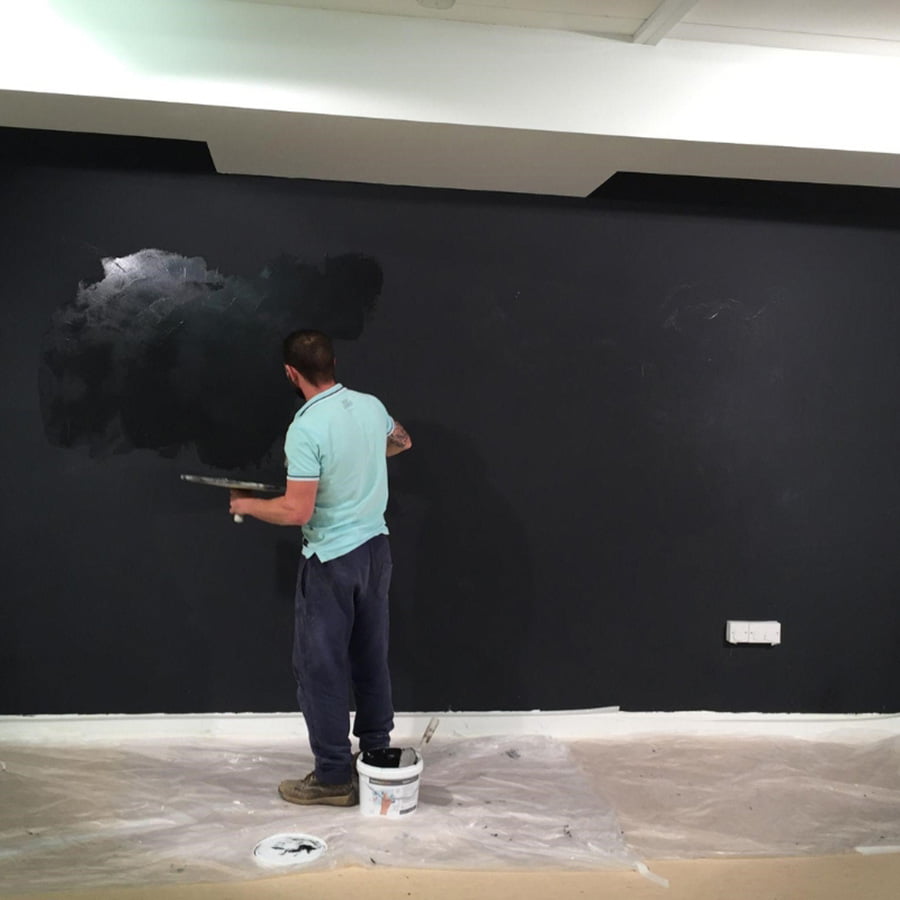
You may apply any Projector Paint using a roller or spray.All surfaces to be painted should be well cleaned and defect free, fill any holes or cracks with decorators filler, and once dry sand the surface smooth. Apply one layer of <a href="https://smartersurfaces.com/product/white-primer-paint/" title="Smart White Primer"> White Primer</a> to bare, untreated surfaces.Before applying the Black Projector Screen Paint, stir it thoroughly. To achieve the greatest results, apply paint with a mohair or lint-free short pile roller sleeve.
<br /><br />
</div></div>
</div>
<meta itemprop="position" content="14">
</div>
</div><div itemprop="mainEntity" itemscope="" itemtype="https://schema.org/Question">
<button class="faqs-accordion" itemprop="name"><span class="h3-faq"><h3>What surfaces can Black Projector Screen Paint be used on?</h3> </span></button>
<div itemprop="acceptedAnswer" itemscope="" itemtype="https://schema.org/Answer" class="faqspanel">
<div itemprop="text">
<div class="faqsp">
<div class="faqs-content">
Black Projector Screen Paint is appropriate for use on wood, metal, plaster, wallboards, smooth concrete, and composites. It is exclusively for internal usage. For external projection, use our <a href="https://smartersurfaces.com/product/outdoor-projector-screen-paint/" title="Outdoor Projection Paint">Outdoor Projection Paint</a>
<br /><br />
</div></div>
</div>
<meta itemprop="position" content="15">
</div>
</div><div itemprop="mainEntity" itemscope="" itemtype="https://schema.org/Question">
<button class="faqs-accordion" itemprop="name"><span class="h3-faq"><h3>Should I prepare the surface before applying Black Projector Screen Paint?</h3> </span></button>
<div itemprop="acceptedAnswer" itemscope="" itemtype="https://schema.org/Answer" class="faqspanel">
<div itemprop="text">
<div class="faqsp">
<div class="faqs-content">
We recommend using Black Projector Screen Paint on an already primed or painted surface. Prime untreated surfaces with a single coat of <a href="https://smartersurfaces.com/product/white-primer-paint/" title="Smart White Primer">White Primer.</a><br /><br />
</div></div>
</div>
<meta itemprop="position" content="16">
</div>
</div><div itemprop="mainEntity" itemscope="" itemtype="https://schema.org/Question">
<button class="faqs-accordion" itemprop="name"><span class="h3-faq"><h3>Is it safe to use Black Projector Screen Paint? </h3> </span></button>
<div itemprop="acceptedAnswer" itemscope="" itemtype="https://schema.org/Answer" class="faqspanel">
<div itemprop="text">
<div class="faqsp">
<div class="faqs-content">
Yes, Black Projector Screen Paint is highly safe to use. Black Projector Screen Paint has a low VOC, is solvent-free, free of PFOA and PFOS, and contains no isocyanates.<br /><br />Black Projector Screen Paint fulfills the highest environmental requirements and is approved for fire performance and VOC. Wear the gloves included in the kit when applying Black Projector Screen Paint. We recommend that you use gloves before applying any paint product.
<br /><br />
</div></div>
</div>
<meta itemprop="position" content="17">
</div>
</div><div itemprop="mainEntity" itemscope="" itemtype="https://schema.org/Question">
<button class="faqs-accordion" itemprop="name"><span class="h3-faq"><h3>Does Black Projector Screen Paint include isocyanate?</h3> </span></button>
<div itemprop="acceptedAnswer" itemscope="" itemtype="https://schema.org/Answer" class="faqspanel">
<div itemprop="text">
<div class="faqsp">
<div class="faqs-content">
Black Projector Screen Paint is completely free of isocyanates. Unlike certain low-quality products on the market, we avoid using isocyanates in our Black Projector Screen Paint or any of our products, which are harmful and should only be handled by qualified professionals following strict safety protocols.
<br /><br />
</div></div>
</div>
<meta itemprop="position" content="18">
</div>
</div><div itemprop="mainEntity" itemscope="" itemtype="https://schema.org/Question">
<button class="faqs-accordion" itemprop="name"><span class="h3-faq"><h3>What personal safety equipment should I wear when painting?</h3> </span></button>
<div itemprop="acceptedAnswer" itemscope="" itemtype="https://schema.org/Answer" class="faqspanel">
<div itemprop="text">
<div class="faqsp">
<div class="faqs-content">
When applying Black Projector Screen Paint, use the gloves that come with the kit. Additionally, safety glasses should be used. As with any painting procedure, make sure that the area is well-ventilated.
<br /><br />
</div></div>
</div>
<meta itemprop="position" content="19">
</div>
</div><div itemprop="mainEntity" itemscope="" itemtype="https://schema.org/Question">
<button class="faqs-accordion" itemprop="name"><span class="h3-faq"><h3>Is there any flammability in Black Projector Screen Paint?</h3> </span></button>
<div itemprop="acceptedAnswer" itemscope="" itemtype="https://schema.org/Answer" class="faqspanel">
<div itemprop="text">
<div class="faqsp">
<div class="faqs-content">
Black Projector Screen Paint is non-flammable and fire-rated, making it suitable for use in schools and workplaces. Black Projector Screen Paint has an extremely high flashpoint, exceeding 158 degrees Fahrenheit.
<br /><br />
</div></div>
</div>
<meta itemprop="position" content="20">
</div>
</div><div itemprop="mainEntity" itemscope="" itemtype="https://schema.org/Question">
<button class="faqs-accordion" itemprop="name"><span class="h3-faq"><h3>Is it safe to use Black Projector Screen Paint around people?</h3> </span></button>
<div itemprop="acceptedAnswer" itemscope="" itemtype="https://schema.org/Answer" class="faqspanel">
<div itemprop="text">
<div class="faqsp">
<div class="faqs-content">
Yes, dry-erase paint is entirely safe to use around people and children because it is approved as a VOC-free and low-odor product. Black Projector Screen Paint has no isocyanates, thus it is exceptionally safe to use near people.
<br /><br />
</div></div>
</div>
<meta itemprop="position" content="21">
</div>
</div><div itemprop="mainEntity" itemscope="" itemtype="https://schema.org/Question">
<button class="faqs-accordion" itemprop="name"><span class="h3-faq"><h3>How should I clean a black projector screen painted surface?</h3> </span></button>
<div itemprop="acceptedAnswer" itemscope="" itemtype="https://schema.org/Answer" class="faqspanel">
<div itemprop="text">
<div class="faqsp">
<div class="faqs-content">
Gently wipe the surface with a soft, dry cloth. If necessary, use a slightly damp cloth and ensure it is free of harsh chemicals to avoid damaging the paint.
<br /><br />
</div></div>
</div>
<meta itemprop="position" content="24">
</div>
</div><div itemprop="mainEntity" itemscope="" itemtype="https://schema.org/Question">
<button class="faqs-accordion" itemprop="name"><span class="h3-faq"><h3>Which types of projectors are compatible with Black Projector Screen Paint?</h3> </span></button>
<div itemprop="acceptedAnswer" itemscope="" itemtype="https://schema.org/Answer" class="faqspanel">
<div itemprop="text">
<div class="faqsp">
<div class="faqs-content">
Black Projector Paint is compatible with projectors that produce more than 2500 lumens and operate with very low ambient light levels.
<br /><br />
</div></div>
</div>
<meta itemprop="position" content="25">
</div>
</div><div itemprop="mainEntity" itemscope="" itemtype="https://schema.org/Question">
<button class="faqs-accordion" itemprop="name"><span class="h3-faq"><h3>What is the expected gain value of projection paint?</h3> </span></button>
<div itemprop="acceptedAnswer" itemscope="" itemtype="https://schema.org/Answer" class="faqspanel">
<div itemprop="text">
<div class="faqsp">
<div class="faqs-content">
Black Projector Screen Paint has a gain value of 20 at 90°.
<br /><br />
</div></div>
</div>
<meta itemprop="position" content="26">
</div>
</div></div>
</div><script>
var acc = document.getElementsByClassName("faqs-accordion");
var i;for (i = 0; i < acc.length; i++) {
acc[i].addEventListener("click", function() {
this.classList.toggle("faqsactive");
var faqspanel = this.nextElementSibling;
if (faqspanel.style.display === "block") {
faqspanel.style.display = "none";
} else {
faqspanel.style.display = "block";
}
});
}
</script>